AR/VR Virtual Gallery Prototype
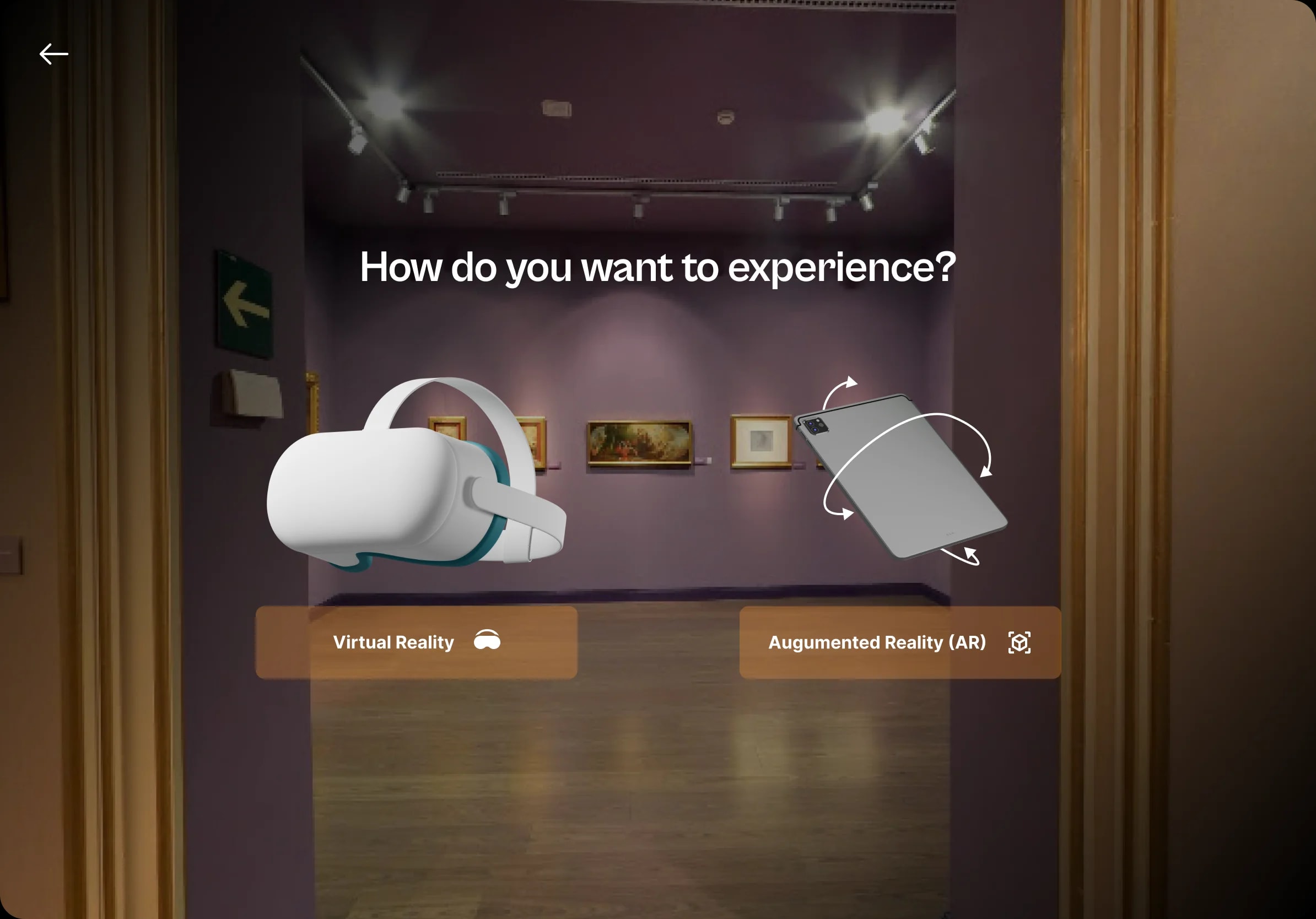
Exploration for an immersive AR/VR virtual gallery that lets users explore and interact with art in a three-dimensional digital space.
- Client
- Conceptual
- Year
- 2023
- Industry
- Art, Culture & Emerging Technology (AR/VR)
- Location
- Nigeria
The problem · 1/4
Designing for AR/VR presents unique challenges that don't exist in traditional 2D interface design. The key challenges for this project were:
Translating Physical Space into Digital: A physical gallery has natural navigation cues—walls, floors, lighting, and the flow of rooms. In a virtual space, these cues must be designed from scratch. The UX needed to guide users through a 3D environment without the benefit of physical intuition.
Making Art the Hero: In an art gallery, the art should be the focus—not the interface. The design challenge was to create UI elements that are helpful and informative without distracting from the artworks themselves.
Designing for Multiple Devices: AR/VR experiences can be accessed through VR headsets, AR-enabled smartphones, and traditional desktop browsers. The design needed to work across all these contexts while maintaining a consistent, high-quality experience.
Reducing Cognitive Load in 3D Space: Navigating a 3D space is inherently more complex than scrolling a 2D page. The design needed to minimize cognitive load through clear visual hierarchies, consistent interaction patterns, and intuitive controls.
Building Emotional Connection: Art is emotional. The design needed to create a sense of wonder, curiosity, and connection—not just present information. The experience had to feel special, not like a technical demo.
Demonstrating Technical Feasibility: As a prototype, the design needed to be ambitious enough to inspire, but grounded enough to be technically buildable. It had to show stakeholders what's possible while remaining practical
Key features · 2/4
Immersive 3D Navigation
A spatial navigation system designed for VR environments—with clear visual cues, consistent interaction patterns, and intuitive controls that make users feel comfortable in a 3D gallery space.
Cross-Device Experience
A unified design that works across VR headsets, AR-enabled smartphones, and desktop browsers—ensuring accessibility for all users regardless of their device.
Interactive Art Viewing
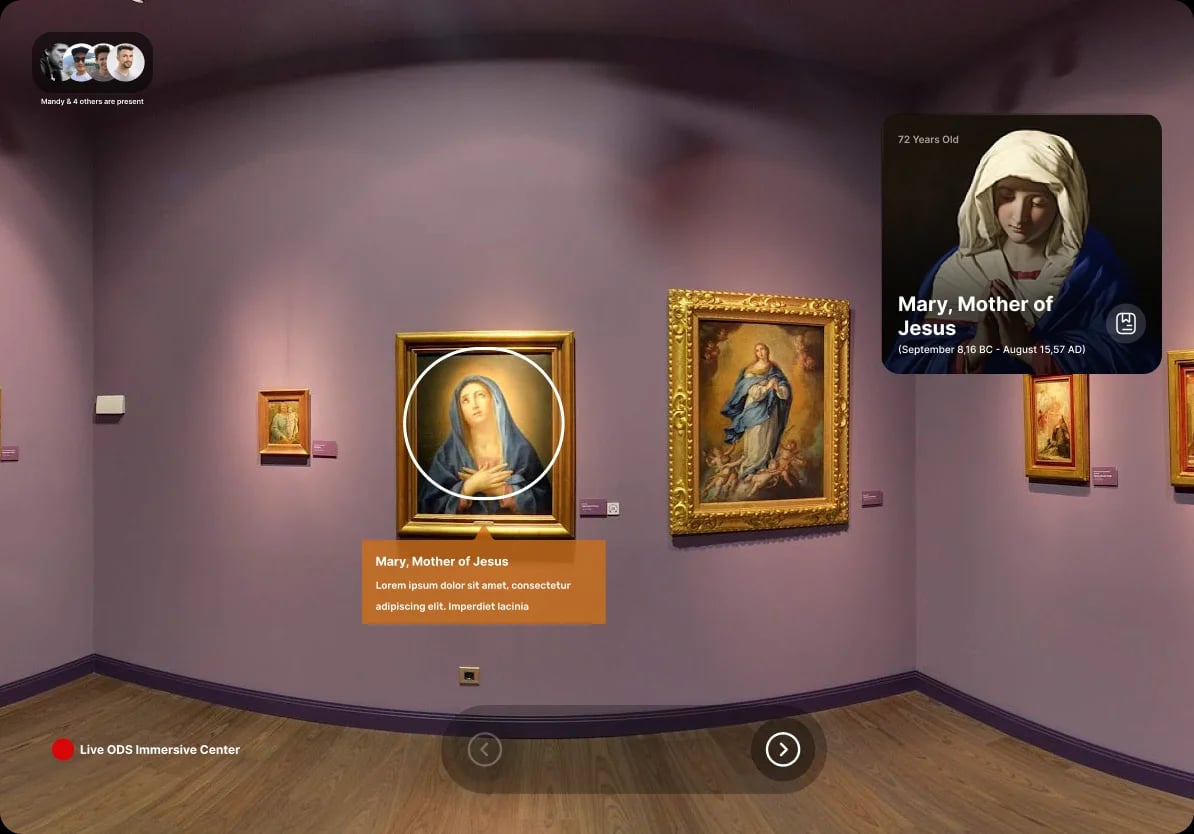
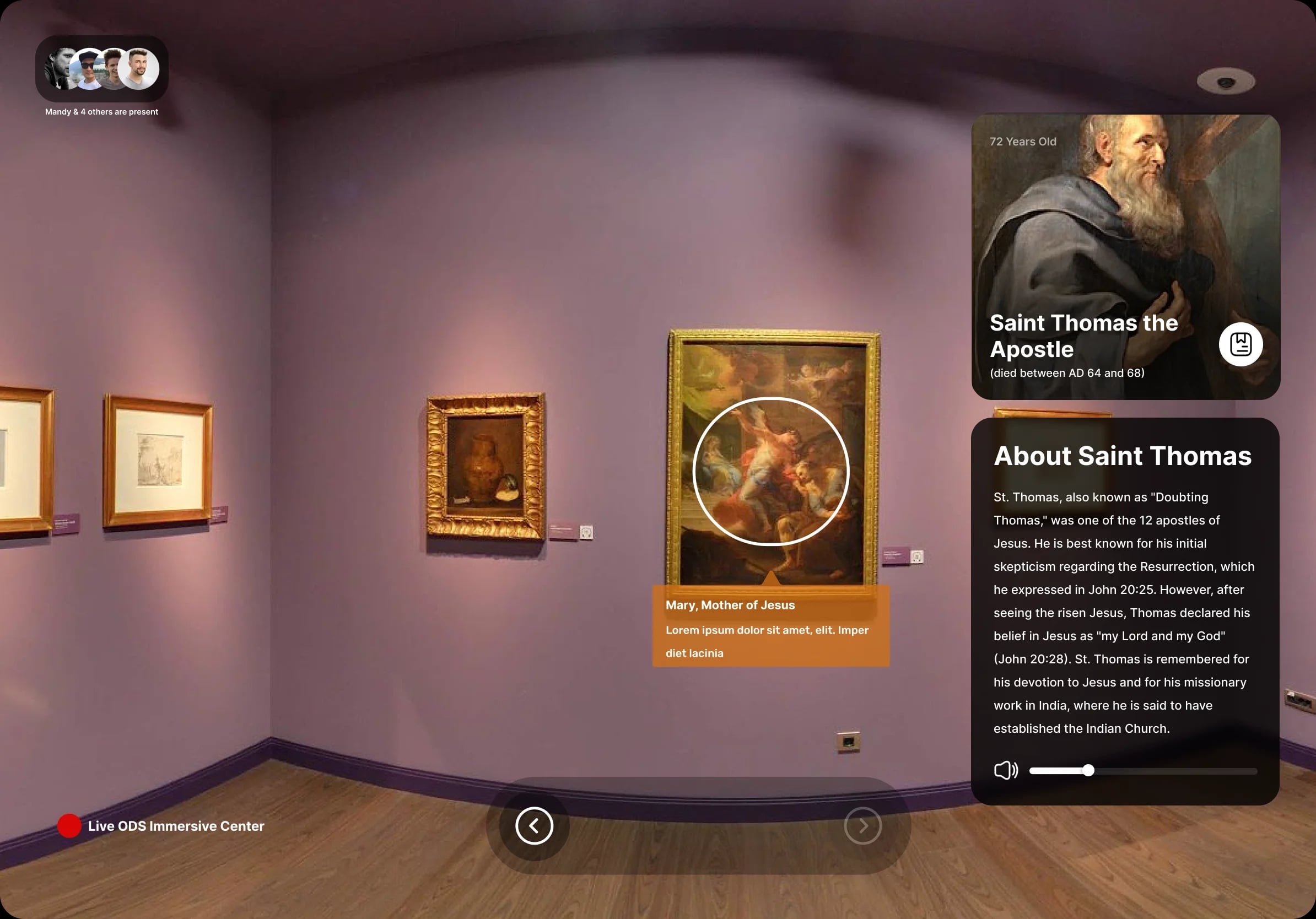
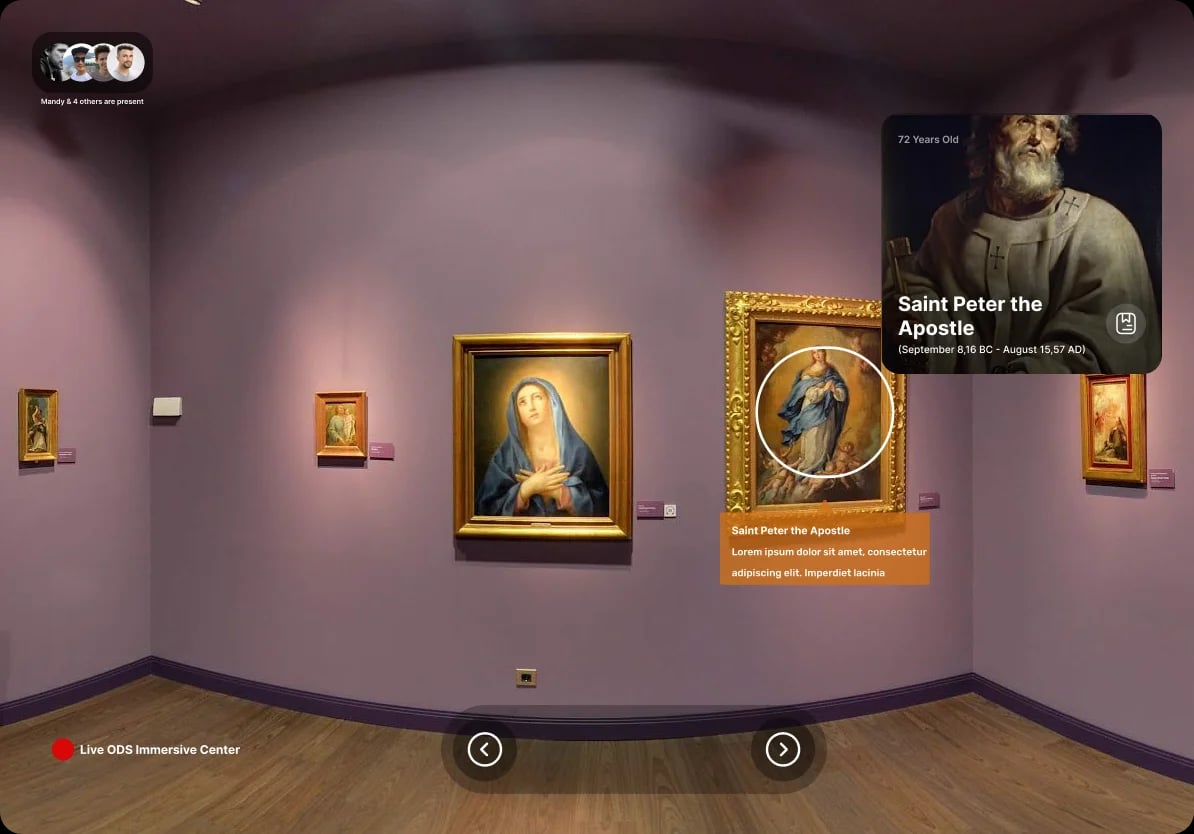
Users can zoom, rotate, and examine artworks in detail, with contextual information panels that appear when approaching a piece—deepening engagement and understanding.
Key features (cont.) · 3/4
Minimal, Non-Intrusive UI
A clean, translucent interface that floats unobtrusively within the 3D space, ensuring the art remains the hero of the experience.
AR Placement Mode
An augmented reality feature that lets users place virtual artworks in their physical environment—bridging the gap between digital and physical art experiences.
The result · 4/4
I designed a complete AR/VR virtual gallery prototype using Figma, addressing every challenge:
Design & User Experience:
Created a spatial navigation system with clear visual cues (floor markers, highlighted pathways, subtle directional indicators)
Designed a minimal, translucent UI that floats unobtrusively within the 3D space
Implemented a consistent interaction language across all devices—whether using a VR controller, touchscreen, or mouse
Used familiar patterns (menus, buttons, tooltips) adapted for 3D environments
Immersive Gallery Experience:
Designed a virtual gallery space with multiple rooms/exhibition areas
Created an artwork viewing mode where users can zoom, rotate, and examine pieces in detail
Included informational panels that appear contextually when users approach an artwork
Designed a "guided tour" mode for users who want a curated experience
Cross-Device Adaptability:
VR Mode: Full spatial navigation with hand/controller interactions
AR Mode: Mobile experience where users can place virtual artworks in their physical space
Desktop Mode: 3D navigation via mouse and keyboard for accessible browsing
Visual Design:
Clean, modern aesthetic that complements the art rather than competing with it
Neutral color palette (whites, grays, soft accents) to let artworks stand out
Consistent typography and spacing across all interface elements
Subtle animations and transitions that enhance immersion without causing disorientation
Prototyping & Handoff:
Created interactive Figma prototypes to demonstrate the flow
Documented interaction patterns and component states
Designed with developer feasibility in mind—clean layouts, organized components, and clear specifications
Video
Figma
Gallery
Related work